
In this blog, I am trying to explain "How to create right click menu on C# form of Visual Studio 2012".
Step 1: Open Visual Studio 2012
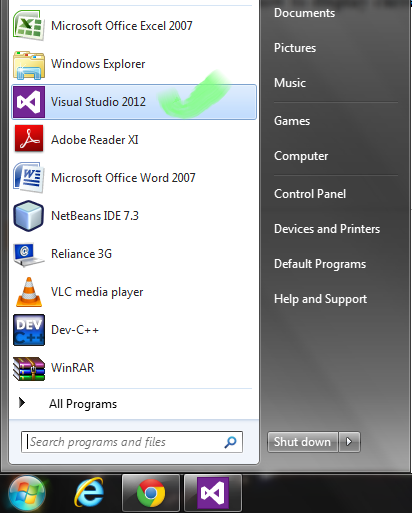
Step 2: Click on "New Project"

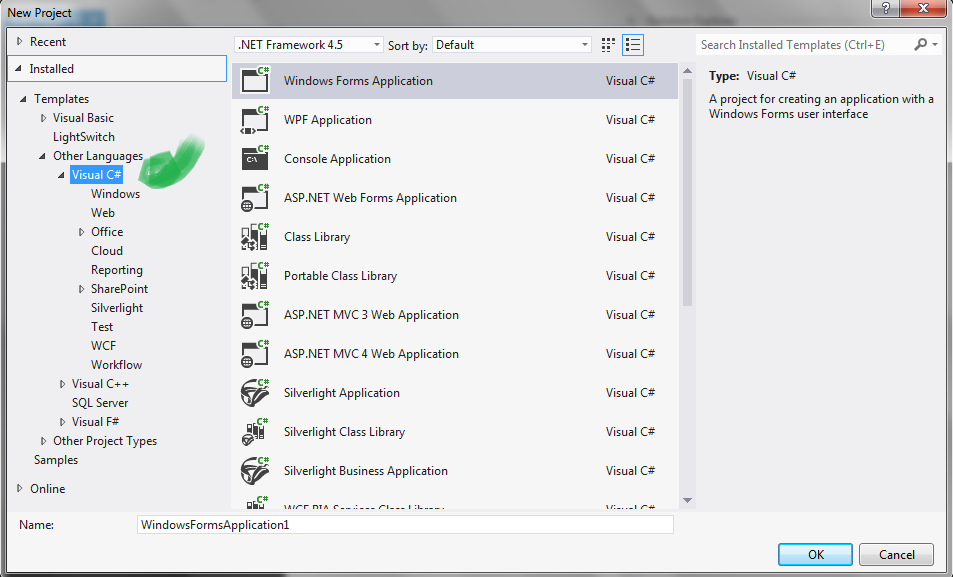
After clicking on "New Project" you will get screen like given below:-
Step 3: Select "Visual C#" from Project Type & "Windows Form Application" from Project Templates.
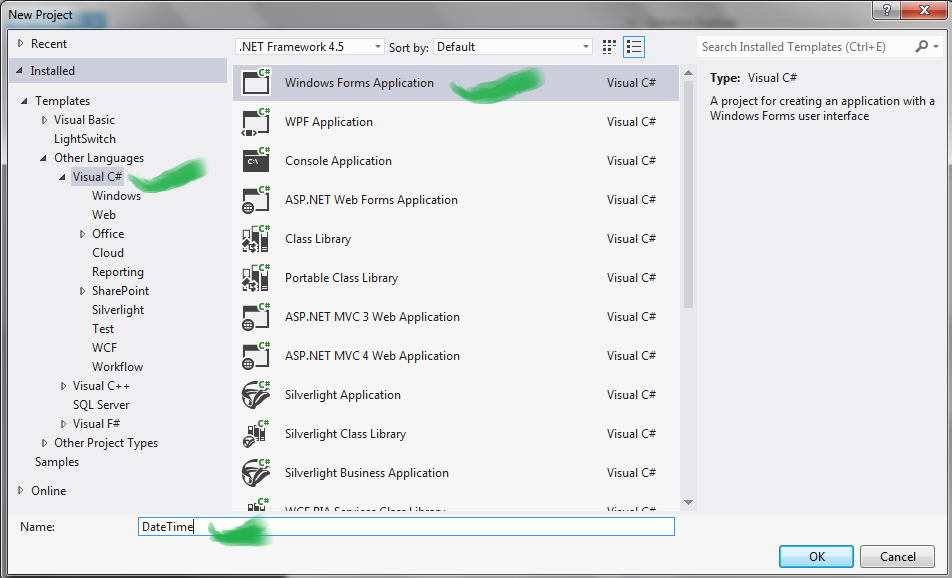
Step 4: Drag and drop the ContextStripMenu from toolbox.
Step 5: Then Right click on Form1 and select the ContextStripMenu property and select your ContextStripMenu which drag and drop on editor.
Step 5: Then Right click on Form1 and select the ContextStripMenu property and select your ContextStripMenu which drag and drop on editor.
Step 6: Click on the contextMenuStrip1 to show on the form.
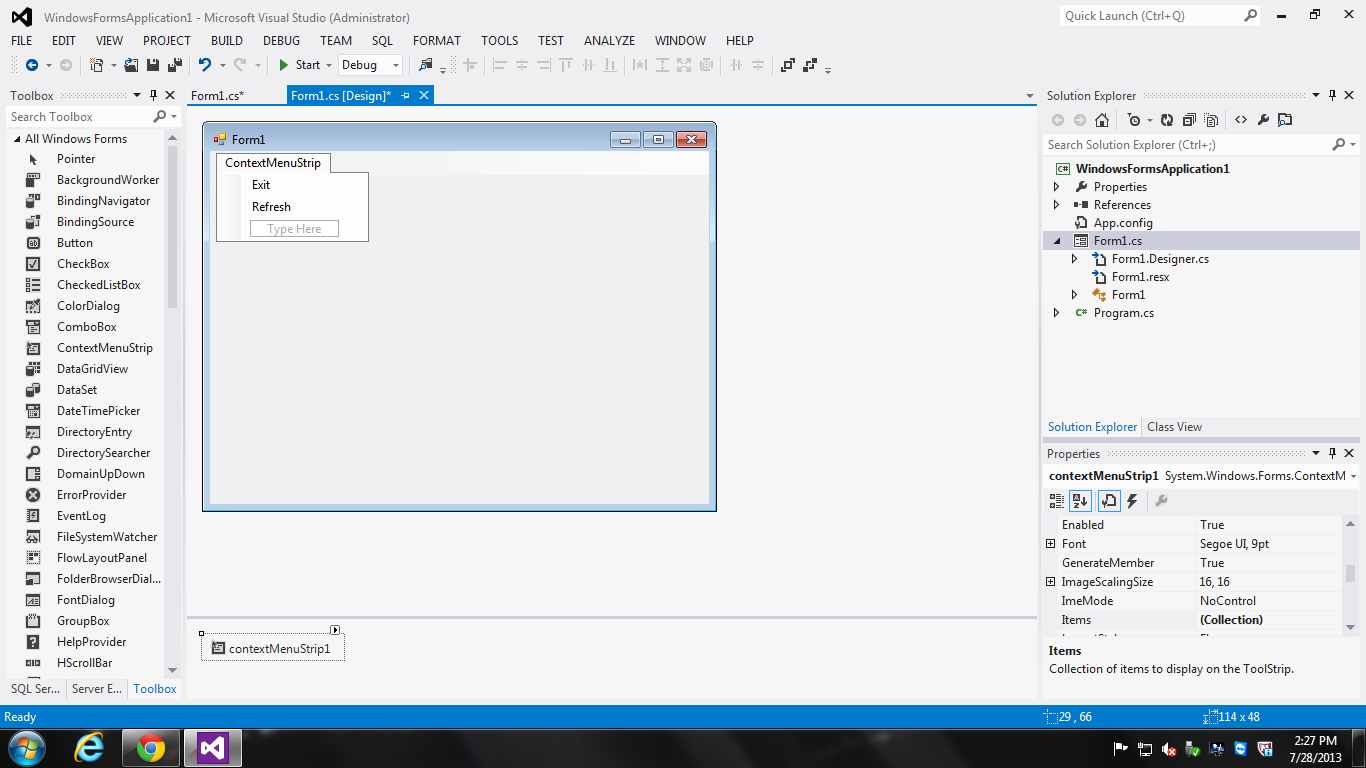
Step 7: Double click on the refresh and exit to get it events.
Step 8: Write the this.Refresh() in refresh sub menu event below is example:
private void showToolStripMenuItem_Click(object sender, EventArgs e){ this.Refresh();}
private void showToolStripMenuItem_Click(object sender, EventArgs e){ this.Refresh();}
Step 9: Write the this.Close() in Exit sub menu event below is example:
private void exitToolStripMenuItem_Click(object sender, EventArgs e){ this.Close();}
private void exitToolStripMenuItem_Click(object sender, EventArgs e){ this.Close();}


Leave Comment
3 Comments